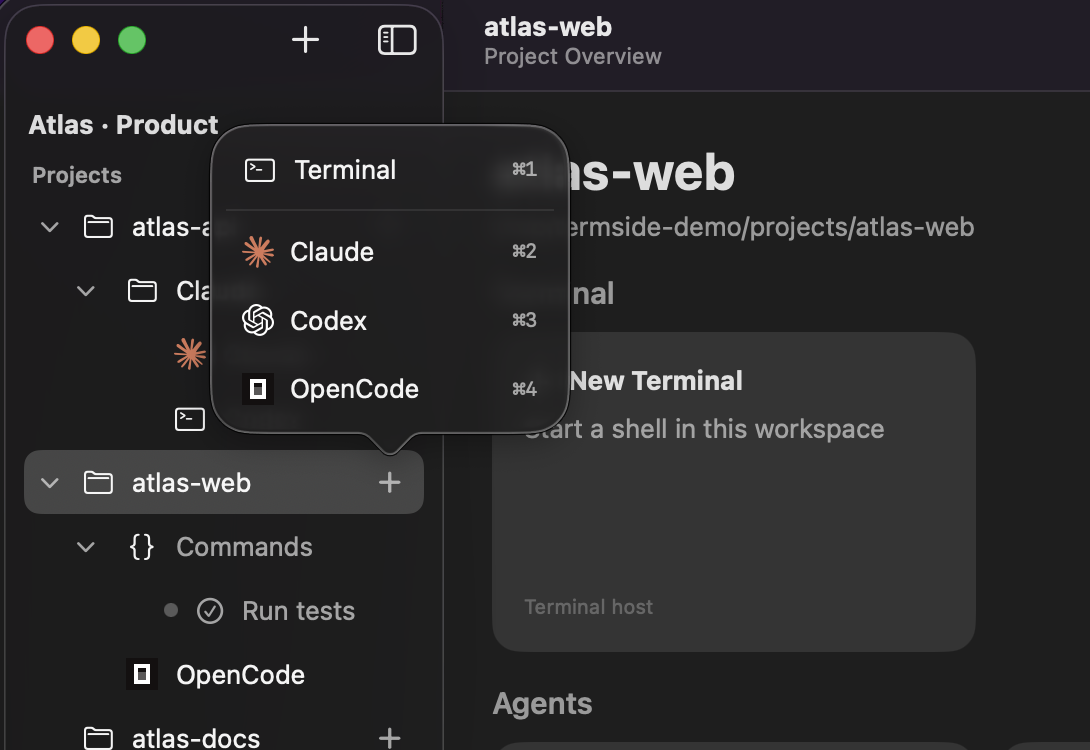
Built-in agent launchers
Claude, Codex, OpenCode, Junie, Copilot, Cursor, and Gemini — ready to launch from your workspace once their CLIs are installed.
Group your projects into workspaces, run Claude, Codex, OpenCode, and more side by side, and get pulled back the moment they finish. Seven agents built in, or add your own.
v0.8.0 · 14.2 MB · macOS 14+ · Apple silicon & Intel
What's inside
Claude, Codex, OpenCode, Junie, Copilot, Cursor, and Gemini — ready to launch from your workspace once their CLIs are installed.
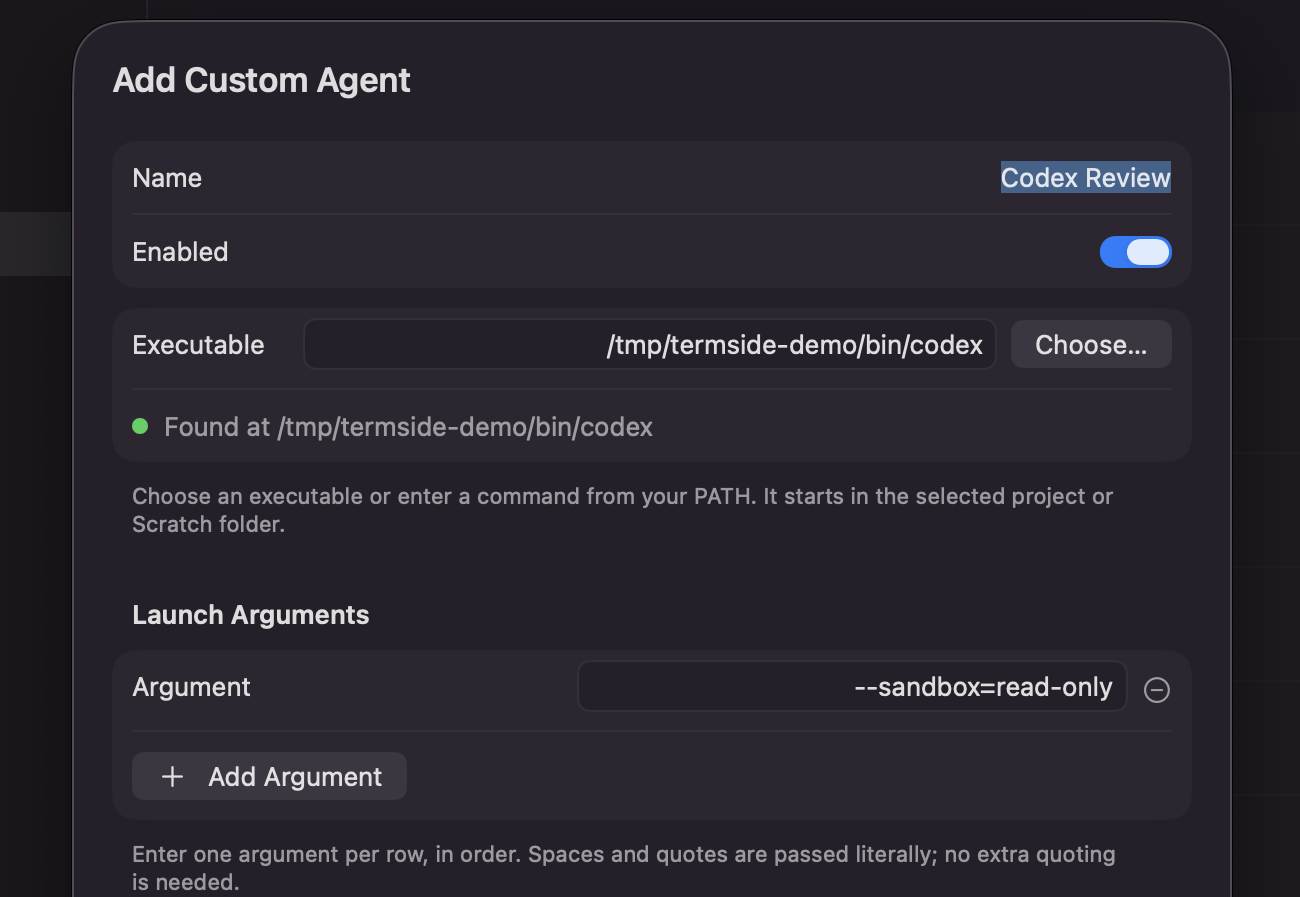
Add a custom agent in Settings with a name, executable, and launch arguments. It appears alongside the built-in launchers, ready to use in your projects. No dedicated Termside integration required.
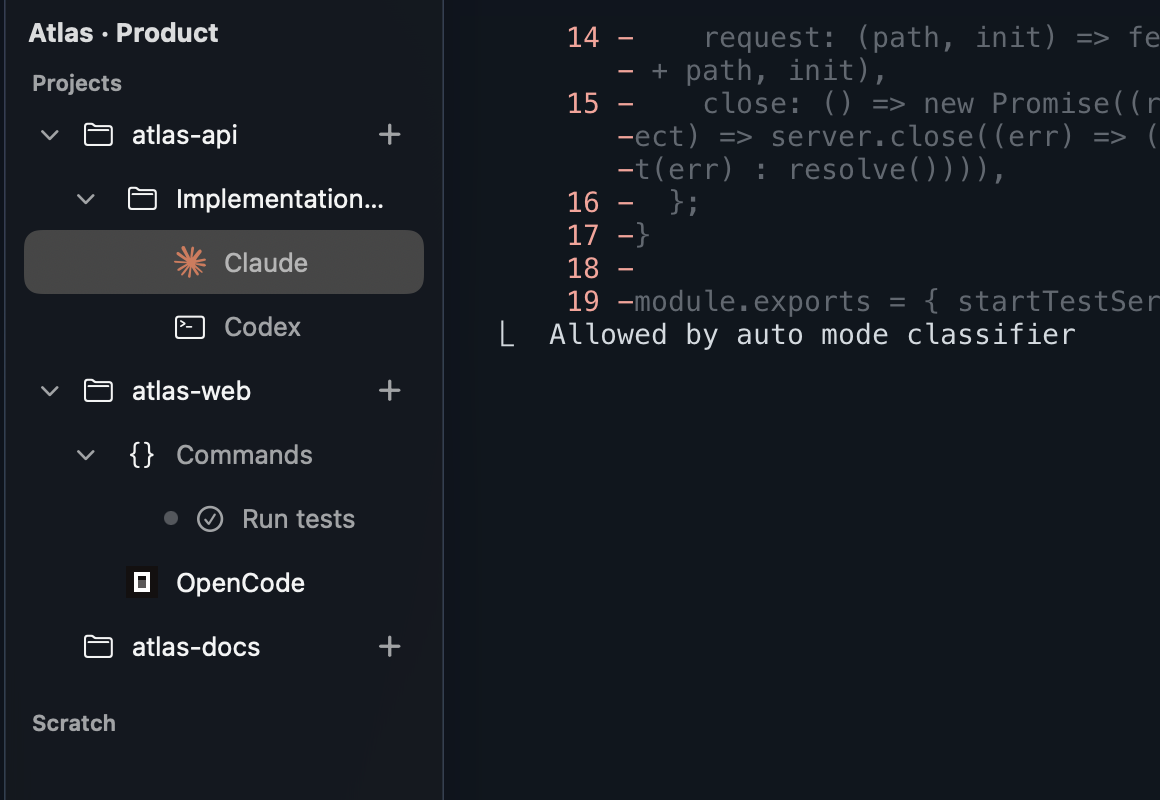
Add any local folder. Each project keeps its own sessions, agents, and commands — switch context without losing your place.
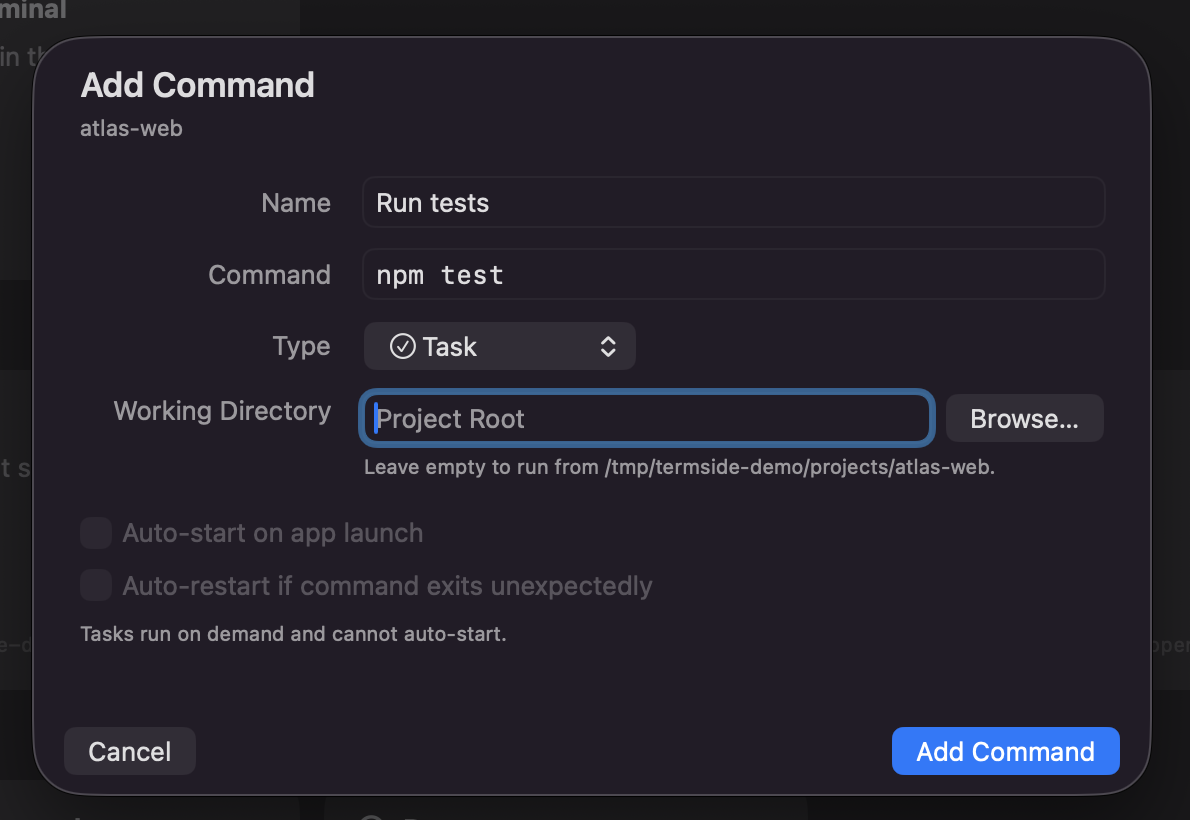
Save tasks, long-running services (auto-start & auto-restart), and connections — auto-detected from your stack: npm, Make, Compose, SwiftPM, Rails, Django, Go, Rust…
Group projects into named workspace windows, each with its own sessions and layouts. Reopen them on launch, or move projects between workspaces while your agents keep running.
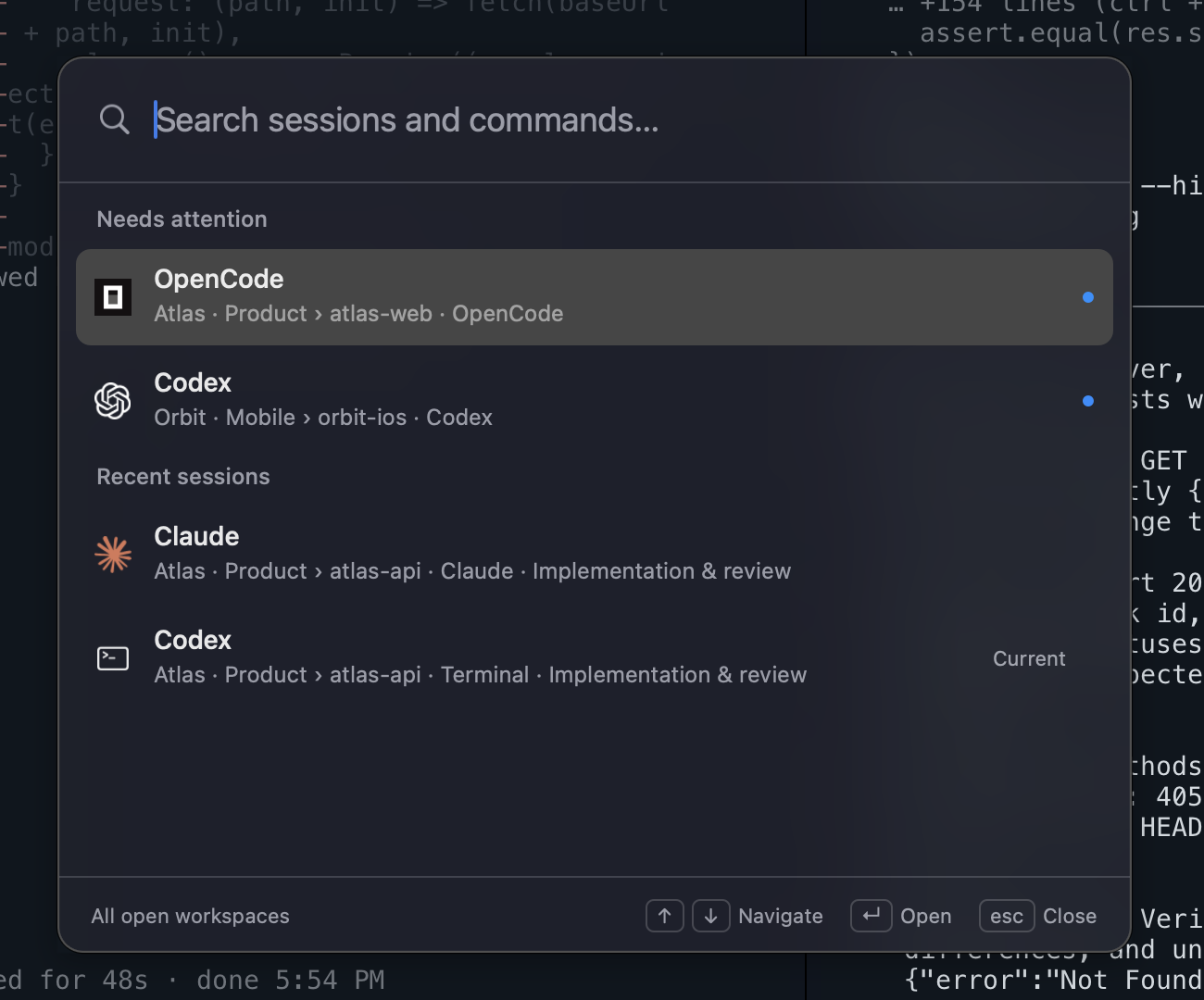
Press ⌘K to search sessions across open workspaces, jump straight to a pane, or run common actions. Sessions needing attention appear first.
Run agents and terminals side by side. Split right or down, move between panes with keyboard shortcuts, and dim inactive panes to keep your focus clear.
Make the terminal your own with built-in themes or imported favorites. Choose light or dark mode, or follow your system appearance, with a separate terminal theme for each mode.
Terminals stay live as you switch projects, panes, and windows. Termside reopens your sessions on launch, with conversation resume for built-in agents.
Background sessions flag the moment an agent finishes, with an optional sound or notification. See what needs you and jump back in when it is ready.
The workflow
Agentic work is parallel and bursty: you kick off a task, it runs for minutes, you move on. Termside is built for exactly that — persistent sessions per project, resume that just works, and attention cues that bring you back at the right moment instead of you watching a spinner.
Why Termside
So many apps require a subscription now, or they need a login, have a remote dashboard, or a server somewhere that holds your work and productivity hostage for a monthly fee. The fatigue is real!
Also, I've recently become a massive fan of tabs on the side thanks to browsers like Arc and Zen. It really gels with how my brain works, and it lets me be more organised and productive.
Lastly, I really care about how an app looks, and having a native as possible experience. It's the small details that matter the most.
Termside ticks all of these boxes. It's a native Mac app that you just open and use. No account. No plan to choose. No backend harvesting all your data. Termside runs your agents and terminal sessions and stays out of your way. And it's free, because a tool shouldn't be a recurring bill.
It's macOS-only on purpose. One platform done properly beats three done halfway.
I spend my work days in the CLI. I've been daily driving and dogfooding Termside for months now. It really clicks with my way of work, and doesn't try to be more than a terminal.
— Alex, building Termside
Privacy
Termside has no backend. The only servers it talks to are the AI agents you choose to run — exactly as if you'd typed the command in any terminal. What you do in Termside is nobody's business but yours.
Questions
Yes — free to download and use, with no subscription and no account.
None. No analytics, no telemetry, no accounts. Termside talks to the AI agents you run and checks a static file for updates. There's no backend to collect anything in the first place.
Because one genuinely native app beats three cross-platform compromises. Termside is pure SwiftUI — real Mac windows, real performance, no Electron and no web wrapper.
Claude, Codex, OpenCode, Junie, Copilot, Cursor, and Gemini are built in — install their CLIs and they appear in the launcher, with session resume where the CLI supports it. Anything else can be added as a custom agent in Settings with its executable and launch arguments. And because Termside is a real terminal, whatever you'd run from the command line works too.
Ghostty. Termside embeds libghostty — the fast, native terminal engine behind Mitchell Hashimoto's Ghostty — so sessions are quick and accurate.
Absolutely. Termside launches your real shell and sources your startup files — your prompt, aliases, and PATH all come with you. It never edits your dotfiles.
Automatically. Termside checks for new versions and updates itself in place. There is no reinstalling and no package manager.
Still curious? Email alex@alexmckenzie.info.

Free. No subscription. No account.
Version 0.8.0 · 14.2 MB · macOS 14.0+ · Apple silicon & Intel
Drag Termside.app to your Applications folder and open it. Signed, notarized, and ready to run.